Manufacturing IT support Adelaide
When your systems stop, so does your production line. We make sure they don't.
You built your business to make things, not to babysit ageing servers or patch shop-floor systems. Otaris takes IT and cyber security off your plate, so production keeps running.
In short
What does IT support for manufacturers in Adelaide include?
Otaris provides managed IT support and cyber security for manufacturers in Adelaide. We support ERP and MRP systems including MYOB Exo and MYOB Advanced, CAD/CAM software, warehouse scanning and factory-floor networks, and keep production systems running with Essential Eight security behind them. Plans start at $69 per user per month. Adelaide-based since 2006.
Line uptime · design IP · legacy controllers
Eight questions to ask the IT provider you already have
Manufacturers carry a risk most sectors do not: the machine that must never be patched sits on the same network as the machine that must always be patched. A controller running an unsupported operating system because the vendor says so is a defensible decision — but only if someone has written down why, segmented it, and told you. Most owners have never been told.
So don't take our word for anything. These eight questions come straight from the Essential Eight — the standard published by the Australian Signals Directorate, which we didn't write and don't own. Each one can only be answered with a document. Ask them, and notice which answers arrive as a report and which arrive as a reassurance.
- 01
Patch applications
SolidWorks, AutoCAD, the ERP and the shop-floor terminals — which were patched last month, and which were skipped?
A real answer looks like: A dated patch report covering office and shop floor separately, with skipped machines named.
- 02
Patch operating systems
How many machines on the floor run an unsupported version of Windows because a controller needs it — and is that a written decision, or just how it ended up?
A real answer looks like: A register of unsupported devices, the vendor constraint behind each, and the compensating control applied.
- 03
Multi-factor authentication
Who can reach the ERP from home with a password and nothing else?
A real answer looks like: A conditional access report listing every account, its factor, and every exclusion by name.
- 04
Restrict admin privileges
Who can install software on the CAD workstations, and when was that list last reviewed?
A real answer looks like: A named list of local administrators per workstation, with a review date.
- 05
Application control
An engineer downloads a free STL converter to get a job out. Does it run?
A real answer looks like: The application control policy, its enforcement mode, and last month's blocked-execution log.
- 06
Restrict Office macros
The costing workbook the office runs on macros — how is that one allowed while everything else is blocked?
A real answer looks like: The macro policy showing default-block, with the trusted location for that workbook documented.
- 07
User application hardening
The office PCs that browse supplier portals all day — what has been hardened on them?
A real answer looks like: The hardening baseline applied and the date of the last drift check.
- 08
Regular backups
If the drawing library were encrypted tonight, when did you last prove you could restore it, and how long did the test take?
A real answer looks like: A restore test report with a date, a measured duration, and a signature.
And one more, just for your industry
Is the shop floor on the same network as the office — and if it is, what stops something that arrives in an email from reaching a machine controller?
A real answer looks like: A network diagram showing the segment boundary, and the firewall rules that enforce it.
Asked them? Here's what to do with the answers.
A provider doing the work sends a report. One who isn't sends a sentence. If the answers came back vague, that is itself an answer — and you now know which questions to ask again in writing.
To check the same ground against the Essential Eight, the Australian Government's cyber security framework, yourself, the scorecard further down this page takes about two minutes. You keep the result, and there is no form to fill in.
Or ask us — we do this every week.
We know what's really at stake on a factory floor
In manufacturing, downtime isn't an inconvenience — it's lost output, missed orders, and a supply chain that backs up behind you. That's exactly why attackers target the sector — a business that cannot afford an hour of downtime is a business more likely to pay. The ASD put the average cost of a cybercrime report for a medium Australian business at $141,300 in 2025–26, up 45% in a single year. Manufacturing also entered ASD's top ten reporting sectors for the first time in 2025–26, with the largest increase in incident reports of any sector, and it is one of the three sectors ransomware hits hardest. Australia's reliance on just-in-time supply makes every hour of a stoppage count for more than the invoice.
The hard part is that much of what runs your operation — ERP, shop-floor systems, ageing equipment that was never built to be online — wasn't designed with security in mind. As those systems connect to your network, the risks connect too. And keeping old systems alive takes a share of the budget nobody ever decided to spend that way, leaving less for the improvements that would actually move the business forward.
You shouldn't have to choose between making your product and running an enterprise IT department. That's where we come in.
“We take IT completely off your plate — so you can focus on production, not patches.”
The IT challenges we solve for manufacturers
Downtime that stops the line
Every hour offline is output you can't get back. Our 24/7 monitoring catches problems before they reach the floor, daily backups mean fast recovery, and connectivity failover keeps your site running if the primary link drops.
Ageing systems and IT/OT convergence
Equipment that once ran offline is now connected — and exposed. We bring legacy systems under modern protection, segment your network so a single compromised device can't spread, and reduce the budget drain of keeping old systems on life support.
Ransomware aimed at production
Attackers target ERP and shop-floor systems precisely because disruption cascades. We deploy modern endpoint protection — application allowlisting instead of out-of-date antivirus — and an independent off-site backup so you can recover without paying a ransom.
Protecting your designs and IP
Your product designs, processes and pricing are worth stealing. We lock down where that data lives and who can reach it, so your competitive edge stays yours.
Supply-chain and remote-access risk
You're connected to suppliers, customers and remote maintenance — each a potential way in. We put granular, multi-factor, time-limited access controls around those connections so convenience doesn't become exposure.
Scaling IT as you grow
Growth means new staff, new sites, new contracts — fast. We standardise device setup so a new starter is productive in days not weeks, and give you a team on tap without having to hire one.
How we get your operation sorted
Schedule a call
Talk to a real person who understands manufacturers. No sales pitch — just a conversation about what's working and what's slowing you down.
We assess your IT and build a roadmap
We audit your systems — office and shop floor — check them against the Essential Eight, identify the gaps, and give you a clear, prioritised plan. No jargon, no hidden costs.
We manage everything, so you can keep producing
From 24/7 monitoring and cyber security to everyday support, we become the IT team your business has always needed — and one that scales as you grow.
Everything your operation needs, from one provider
Cyber security & Essential Eight uplift
Modern endpoint protection, application allowlisting, threat monitoring, and a clear maturity roadmap.
Backup & business continuity
Daily off-site backups and a tested plan to get the line running fast after any incident.
Network segmentation & resilience
Separating shop-floor systems from the office, plus connectivity failover so a single outage doesn't stop the day.
Secure Microsoft 365 & identity
Locked-down email and access — the most common way in.
Rapid device provisioning
Standardised, automated builds so new starters are productive in days.
ERP & line-of-business software support
We support the platforms your operation runs on, including NetSuite and MYOB Advanced — keeping them secure, updated and integrated with the rest of your systems.
Manufacturing software & systems we support
Otaris supports the systems Adelaide manufacturers depend on from the front office to the factory floor.
- ERP & MRP systems (MYOB Exo & Advanced)
- CAD/CAM software
- Warehouse & barcode scanning
- Factory-floor Wi-Fi & OT networks
- Microsoft 365
A local team manufacturers trust
Otaris has been looking after Australian businesses since 2006 — that's 20+ years in IT. We're Adelaide-based with Australia-wide coverage, and we explain everything in plain language. You'll never be handed off to an overseas call centre.
Client story — Tindo Solar, Adelaide
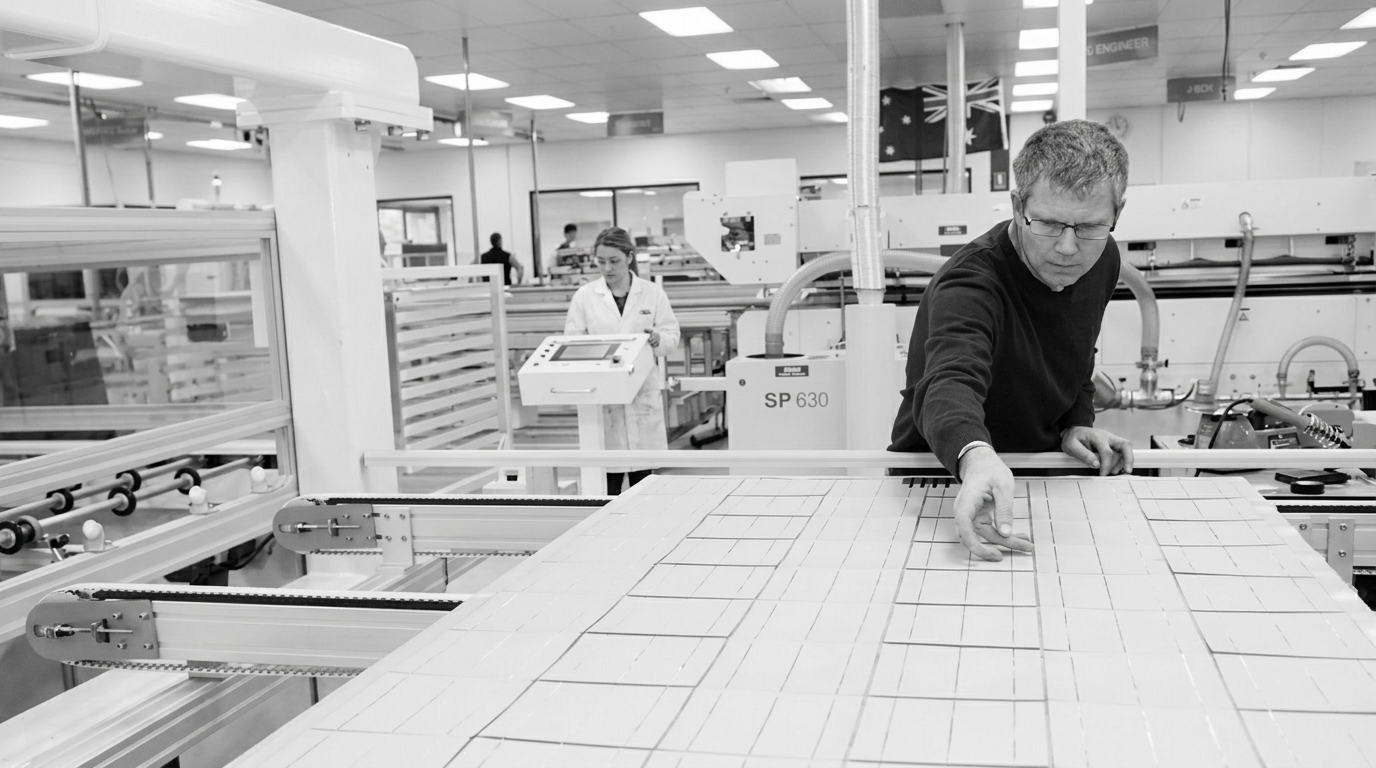
Tindo Solar — Australia's only solar panel manufacturer, based at Mawson Lakes in Adelaide — was growing fast, and its IT needed to keep up. In 2026 we stepped in as their external IT partner with no business downtime, then modernised the lot: every endpoint enrolled in Microsoft Intune and protected by ThreatLocker, an independent off-site backup of their Microsoft 365 data, 4G failover so the site stays connected, Essential Eight Maturity Level 1 in place, and a standardised build that gets a new starter a fully configured laptop in days instead of weeks.
Today, IT isn't the thing slowing Tindo's growth down — it's the foundation under it.
Read the Tindo Solar case study- 20+ years in IT
- Adelaide-based
- Microsoft partner
- Essential Eight uplifts without disrupting operations
- 80+ staff manufacturer scaled with Otaris
- Supporting Australian businesses since 2006
A week where the line runs and the systems keep up
A week where the line runs, the systems just work, and a new starter is productive on day one. Your shop-floor and office systems are protected and segmented, your data is backed up off-site, and if the internet drops, failover keeps you connected. You're confident you'd stand up to a cyber incident — and when you win a big new contract, your IT scales with you instead of holding you back.
That's the difference between IT that limits what you can take on and IT that doesn't.
“Strengthening your digital confidence.”
Insights for manufacturing
What we get asked most often by manufacturing businesses, answered plainly.
- 6 min
What does an hour of downtime actually cost a manufacturer?
Calculate it once and every resilience decision becomes arithmetic. Most manufacturers have never done the sum.
Read the article - 6 min
What do you do about production equipment running old Windows?
Isolate it, document it, image it, and plan its replacement with the equipment vendor. Do not pretend it can be patched like a laptop.
Read the article - 2 min
Why are customers asking manufacturers about cyber security?
Because you are part of their supply chain, and their own obligations now reach their suppliers. The answer needs evidence.
Read the article - 6 min
What IT does an Australian manufacturer need?
An ERP that matches the process, shop-floor equipment that stays running, and a network that treats production as critical rather than incidental.
Read the article - 6 min
What should a manufacturer look for in an ERP?
A fit with how you actually make things, integration with the floor, and an honest view of what implementation will take.
Read the article - 2 min
Where can a manufacturer actually use AI?
In the office first: quotes, documentation, purchasing admin. The shop-floor applications are real and need data you may not have yet.
Read the article
Solutions for your industry
The services we most often deploy for manufacturing.
- Cyber
Cyber Security
Built to the Australian Government's Essential Eight — application allowlisting, multi-factor authentication, patching and daily backups, at Maturity Level 1, 2 or 3.
Learn more - Managed
Cloud & Servers
Private cloud on AWS and Azure, onsite servers, and legacy applications moved off the hardware that was holding them there.
Learn more - Cyber
Backup & Disaster Recovery
Daily backups, tested restores, 4G failover and next-day onsite warranty — across the servers, the cloud and Microsoft 365.
Learn more
Frequently asked questions
Check your Essential Eight score
You’ve probably been told the Essential Eight matters. Less often, where your business actually sits against it. Answer these 34 questions as honestly as you can and you’ll get a plain list — what’s holding up, what isn’t, and what each gap would take to close.
It asks the same 67 things an assessor would, across all eight controls at Level 1. Nothing invented and nothing softened — where something isn’t there, it says so. The list is yours to keep. Some of it you can fix yourself; some needs someone with access to your systems. If you’d rather hand that part over, ask on chat and we’ll tell you what it costs.
The Essential Eight is the Australian Government’s cyber security framework, and every business should be able to measure itself against it without paying for the privilege or handing over their details. There’s no form here, so whether we ever speak is your call.
All eight strategies at Maturity Level 1, mapped to all 67 checks in ASD’s own assessment test plan, with what ASD requires shown under each question. About twelve minutes.
answered you are here still to answer· eight groups, one per Essential Eight strategy · click any square to jump to it
Maturity Level 1
Question
Does a tool keep a list of every computer and program you own — and does someone look at it?
Somebody needs to know what you actually own before they can protect it. That means an automatic list of every computer, server and program — not one written in a spreadsheet two years ago — and someone looking at it at least fortnightly to catch what has appeared since.
If this is not in place
You cannot patch what nobody knows about. The machine that gets broken into is almost always the one missing from the list — the laptop of someone who left, the server under a desk that still runs something. An attacker finds it by scanning. Nobody on your side is looking.
How this gets fixed
Every computer and server gets a small agent, so the list builds itself and stays current — including the machines nobody remembers. NinjaOne does that. Firewalls, switches and access points carry no agent, so they come from FortiManager and Aruba Central instead.
NinjaOne · FortiManager · Aruba Central — the same products we run.
We can manage the licence and set it up to best practice — more than 20 years of doing exactly this, so it holds up when someone checks. Included in our support plans, from Essential Eight Level 1, $139 per person a month.
Book a free consultationYour answeror press 1 – 2 – 3 – 4
Two requirements travel together. Discovery must be automated and REVIEWED — ASD's wording is "run and reviewed", and an unreviewed scan is the most common way this fails. The scanner must also carry a current vulnerability database, or it reports clean on something it never actually tested.
ML1-PA-01 · ML1-PA-02
Not sure what this question is asking? Ask on chat and we’ll explain what the standard means.
The two questions everybody asks last
What does it cost — and what happens to our week if we switch?
Fair questions, so here are both answers on one page. There are three ways to work with us, every price is published, and the fully managed plan is priced by how far up the Essential Eight, the Australian Government's cyber security framework, you want to go.
Fortress, and a lighter way in
Most businesses we look after want everything handled. If you already have IT covered, Sentinel is the lighter, pay-as-you-go option alongside it.
Fully managed · Essential Eight Level 1
Level 1: The baseline the Australian Government sets. So when a client, an insurer or a tender asks how you protect their data, you have an answer — not a scramble.
10 of 21 features below are included · prices ex GST
And the part you're actually worried about
Nearly every manufacturer we speak to raises the same real objection, and it isn't price — it's the fortnight of chaos they assume comes with changing providers. There isn't one. The work happens before anything changes, and changing providers is our problem to manage, not yours to survive.
- 04
Behind-the-Scenes Setup
We map what talks to what first — office, ERP, CAD workstations and every machine controller on the floor — then stage the new setup around the constraints the plant actually has.
Nothing is touched until we know what it is connected to.
- 05
The switchover
We cut the office over first and the floor second, scheduled around your production run rather than our calendar. Controllers that cannot be touched stay untouched and get protected around instead.
The line keeps running through the whole switch.
- 06
Your team gets comfortable
Office staff get the full handover. Floor supervisors get a one-page card with the number and a clear definition of what counts as urgent.
A stoppage is escalated in seconds, not after a hunt for a number.
Keep your line running and your data protected.
Book your free Essential Eight Cyber Security Scorecard and we'll show you exactly where your operation stands — office and shop floor — and what to fix first. No jargon, no obligation.
- A plain-English Essential Eight Cyber Security Scorecard for your operation
- Where you stand against the Essential Eight — office and shop floor
- A clear, prioritised plan that scales as you grow